S7200 programming cable PPI indicator,
RX: Receive signal TX: Send signal
PLC Programming Cable
S7200 programming cable PPI indicator,
RX: Receive signal TX: Send signal
This data line is a USB-RS422 communication line. To use the basic settings, first install the driver of USB-SC09-FX-AW, then set the virtual serial port in the hardware, and the GX develop software. The serial port number setting is the same ones.
These two PLCs, except the communication lines of the network cable interface and the USB interface, are different from the rest of the communication lines of Mitsubishi and Siemens.
Original 300 MPI cable, set PG PC interface in the control panel, communication selection pc adapter PPI
RS485 interface

1. PPI cable can be converted with a simple RS232-RS485 interface, but can not meet the high-speed communication of 187.5K.
2. There is a protocol chip inside the MPI programming cable, which cannot be converted using a simple RS232-RS485 interface.
3. In fact, it is two things, one is physical, and PPI and MPI are on the agreement.
1. First connect the Mitsubishi PLC to the computer with a communication line.
2. Right click on “My Computer” and select “Manage”.
3. In the Computer Management window that pops up, select Device Manager.
4. Check the Com port used by the communication line and remember this port. The example is Com10.
5. Return to the PLC programming software, select the “Online” menu bar and select “Transfer Settings” from the drop-down menu.
6, in the “Transfer Settings” dialog box, you need to set the “Serial USB” interface
7, then set the Com port to Com10 in the pop-up port settings interface.
8. Finally click on “Communication Settings”. If the connection to the PLC is successful, click OK and write the program to PLc.

Suitable MT6000/MT8000 Series HMI Connect S7-200 PLC programming Cable, it support MT6050i /MT6056i /MT6070iH/MT8070iH/MT6100i/MT8100i All Series Veinview Touch Panel.
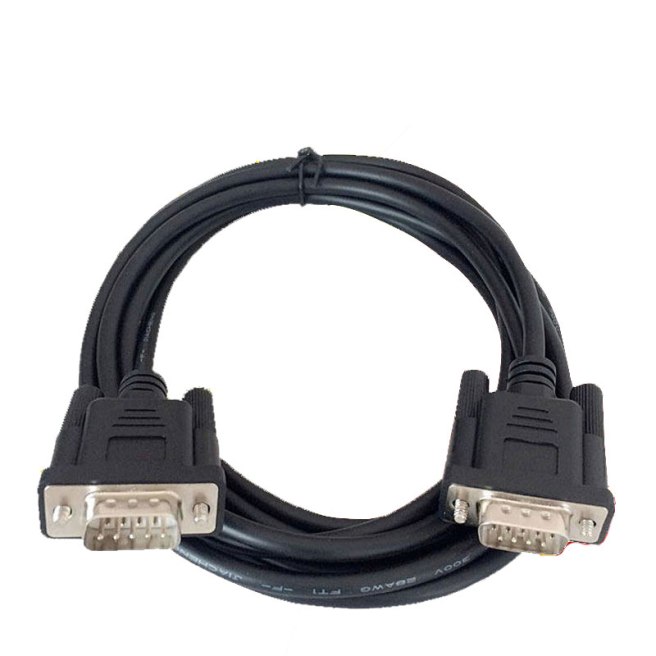
Suitable Siemens Touch panel connect Siemens S7-200/300 Series PLC Programming Cable

Purpose: Veinview TK6070I、TK6070IK,TK6070IP Connect Simens S7-200 PLC Programming Cable\

 PLC Cable