- Interface:USB + Round 8-pin + 25-pin serial por
- Support system: WIN2000 / WINXP / WIN7 / WIN8
- Purpose: USB-SC09+ built-in isolation chip Programming Cable suitable Mitsubishi FX&A Series PLC Download cable
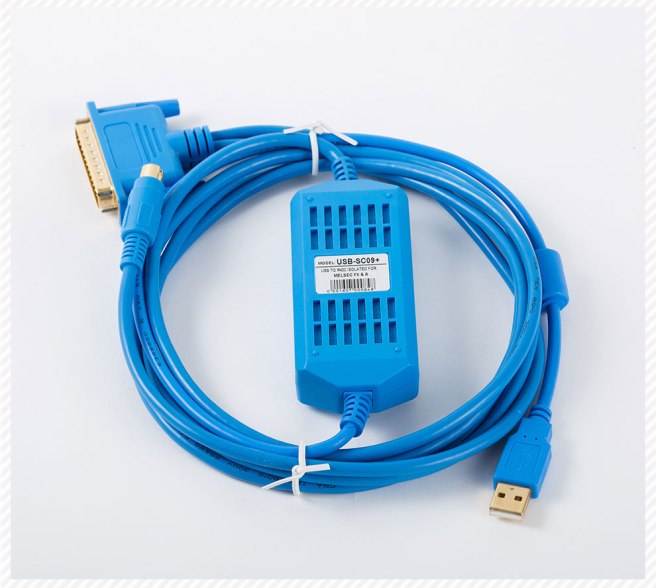
PLC Programming Cable
Interface :9pin female – 6 Pin Round
Support: WIN7(32/64bit)/XP/VISTA
Purpose: Serials QC30R2, Suitable Mitsubishi Q Series PLC Programming Cable

Model No.:TK6070-FX
Purpose: Veinview TK6070 Touch Panel To Mitsubishi FX Series PLC communication cable, 9Pin Female HMI side to PLC Round 8 pin.


Interface: 9Pin Serials prot+25pin switch port+ 8pin round port
Purpose: RS232Port,suitable Mitsubishi FX0/FX0S/FX1S/FX0N / FX1N /FX2N& A series PLC programming cable
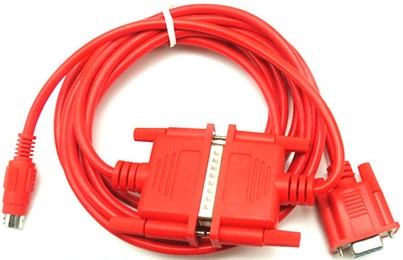
USB-SC09-FX ,Suitable Mitsubishi FX1S/1N/2N/3U/3G ect…FX series PLC programming cable, Round 8pin port.
The usb-sc09-fx programming cable can only be used according to USB device drivers, which are on CD-ROM for sale with the product.
After the driver is installed, the COM port corresponding to the USB-sc09-fx programming cable will appear in the device manager of Windows. The other communication parameters are set by default. The next use is exactly the same as the traditional RS232 programming cable.
SC-09 programming cable is the conversion cable from RS232 interface (commonly known as COM port) to RS422 interface. It is commonly used in Mitsubishi A series and FX series (FX2/FX2C/FX2N/FX0/FX0N/FX0S/FX1N/FX1S…). PLC, which supports all communication protocols, is used for programming communication between computer and PLC and various monitoring software of upper computer. It can replace Mitsubishi communication module FX-232AW (or FX-232AWC). The RS422 port and RS232 port of the cable have built-in +15kV ESD protection circuit, which can be electrified and plugged in arbitrarily.
If you communicate with Mitsubishi F1/F2 series PLC, you need to install F2-20GF1 communication module.
If your computer uses USB port, please choose USB programming cable USB-SC09.
Main technical parameters:
The RS422 port and RS232 port have 15 kV ESD protection circuit, which can be plugged and unplugged arbitrarily.
Baud Rate: 0-230kbps Adaptive
– Cable length: 3 m, fully shielded, with grounding wire
With a communication light, the LED flickers when communicating
Working temperature: – 20-75 C
The S/S port is the common end of all inputs.
1) S/S is the common end of the input signal, which can either be positive or negative.
2) COM is the common end of the output signal (possibly positive or negative – depending on the specific model)
3) Actually, in your current drawings, the input and output loads share the same DC24V power supply.
A0 – Connect the negative pole of DC24V power supply
B0 – – – Connect the positive pole of DC24V power supply
Serial SC09
USB-SC09. for USB
Mitsubishi PLC FX series has FX3U FX3UC FX3G and so on.
Specific wiring
If FX3U MT is the transistor output interface must be 24V 12V higher than 24V can not be connected
If it is FX3U MR, the output interface of the relay can be 12V 24V 220V 380V.
Specific wiring method: Output has COM points. If you use FX3U MR, your power supply is 220V COM wiring, add a protective switch, output Y0 to connect intermediate relay or AC contactor, etc. If you are connected with intermediate relay Y0, lead a wire to the positive coil of intermediate relay and another 220 V zero wire to one. A circuit can be generated by connecting a wire to the negative terminal of the intermediate relay.
3U is high-end, 3G is basic, 3S is simple, specific can be on Mitsubishi’s official website to find sample manual, 2N is indeed out of production, now 5U are listed. Learning feels that 3U is better, although it is more expensive, but whether in processing speed or accuracy, 3U is the best.
 PLC Cable