1. First connect the Mitsubishi PLC to the computer with a communication line.
2. Right click on “My Computer” and select “Manage”.
3. In the Computer Management window that pops up, select Device Manager.
4. Check the Com port used by the communication line and remember this port. The example is Com10.
5. Return to the PLC programming software, select the “Online” menu bar and select “Transfer Settings” from the drop-down menu.
6, in the “Transfer Settings” dialog box, you need to set the “Serial USB” interface
7, then set the Com port to Com10 in the pop-up port settings interface.
8. Finally click on “Communication Settings”. If the connection to the PLC is successful, click OK and write the program to PLc.
How does the Mitsubishi PLC use the USB interface data cable to connect to the computer?
1. Install the USB communication line driver.plc driver
2. In the computer device manager port, check the port number actually occupied by the USB communication line.
3. Set the port number in the programming software communication settings to the port number actually occupied by the USB communication line.
4. Go online.
Siemens Programming Cable S7-200PLC
USB-PPI
- Interface: USB- 9pin Round Male
- Support system:WIN7(32/64bit)/XP/VISTA
- Purpose: Suitable Siemens Programming Cable S7-2000plc Communication Download Data Cable

MT6000/8000-S7-200 Suitable Veinview MT6000 MT8000 Series Touch Panel HMI Connect Siemens S7-200PLC Programming Cable
MT6000/8000-S7-200
Suitable MT6000/MT8000 Series HMI Connect S7-200 PLC programming Cable, it support MT6050i /MT6056i /MT6070iH/MT8070iH/MT6100i/MT8100i All Series Veinview Touch Panel.
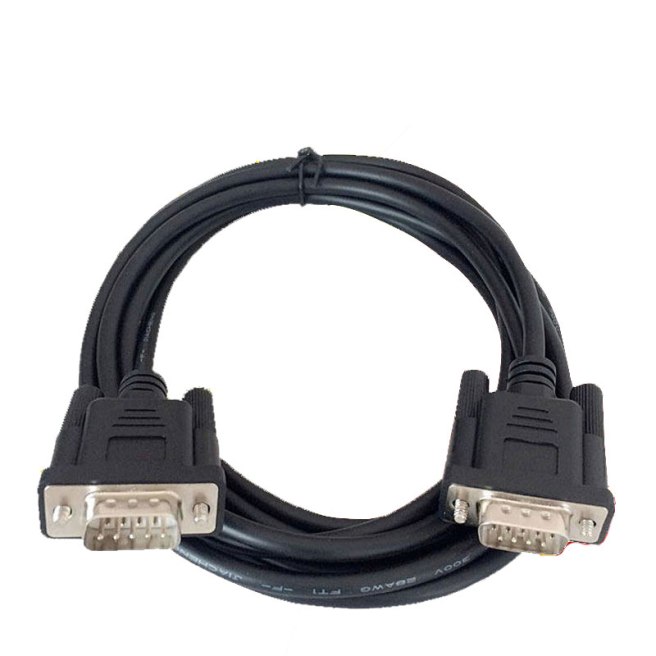
6ES7901-0BF00-0AA0 Suitable Siemens S7-200/300 Series PLC Connect S7 HMI Touch Panel Programming Cable 0BF00
6ES7901-0BF00-0AA0
Suitable Siemens Touch panel connect Siemens S7-200/300 Series PLC Programming Cable

TK6070-S7-200 Suitable Veinview TK6070 Series Touch Panel HMI Connect Siemens S7-200 PLC Programming Cable
TK6070-S7-200
Purpose: Veinview TK6070I、TK6070IK,TK6070IP Connect Simens S7-200 PLC Programming Cable\

USB-PPI Siemens S7-200 USBPPI 6ES7901-3DB30-0XA0 Programming Cable
USB-PPI
- Support system:WIN7(32/64bit)/XP/VISTA
- Baud Rate: Support 9.6KBD/S、19.2KBD/S (Doesn’t support 187.5KBD/S)
- Purpose: Suitable Siemens Programming Cable S7-2000plc Communication Download Data Cable.

PC-PPI Programming Cable Compatible Siemens PCPPI S7-200 Serials
PC-PPI
Support:WIN7(32/64bit)/XP/VISTA
Purpose: Suitable S7-200 RS232 port Programming Cable, RS232/PPI interface
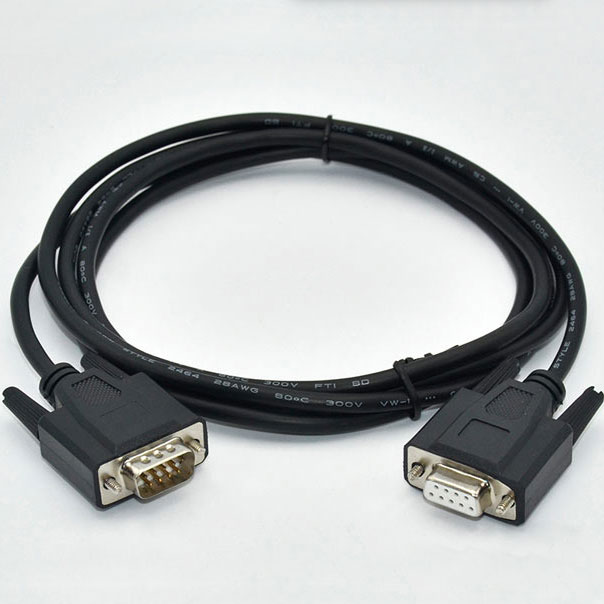
S7-200 PLC Programming Cable PC-PPI+ Adapter
PC-PPI+
S7-200 series PPI Isolation type 232 interface programming cable, data can be transmitted more swift.
Communication Cable
PC/PPI,232/RS485 switch
Optical Isolation
Note: This programming cable doesn’t support 187.5baud rate

6ES5734-1BD20 Cable Suitable Siemens S5 Series PLC Programming Cable PC-TTY
PC-TTY 6ES5734-1BD20
Siemens SIMATIC 6ES5734-1BD20 PLC S5 TTY Programming Cable
Suitable Siemens S5 seriess PLC programming port interface (DB15) communication port cable, suitable siemens model 6ES5734-1BD20, Cable length is 3meters with15pins port.
Note: PC-TTY can’t be switched by USB-CIF31 as it only has serials port without USB.

Siemens PLC Programming Cable S7-200 PLC Data Line
USB-PPI
●SupportS7-200 full series of PLC communication
●Support PPI multi master communication
●The highest baud rate reached 187.5kb
● Driver: no need to install driver, can be generated USB directly.
● System:Support Win7 (32/64bit)
● Full set: Packaging box+ Adapter(include wire)

USB-PPI Programming Cable USB to RS485 Adapter
USB-PPI
Suitable Siemens S7-200 PLC programmign Cable USB-PPI communication Cable Down load
 PLC Cable